Opening a laptop in an airport lounge, coffee shop, train, or shared office can expose more than you realize. A nearby person may be able to see an email subject line, a client name, a class assignment, or a private message without deliberately trying to look. A laptop privacy screen protector helps reduce that casual side viewing while keeping the display usable for the person sitting directly in front of it.
The best option is not simply the darkest computer privacy screen you can find. Fit, attachment style, viewing direction, display quality, and how often you need to remove the filter all matter. This guide explains how privacy filters work, when magnetic models make sense, and how to choose one that matches your laptop rather than relying on screen size alone.
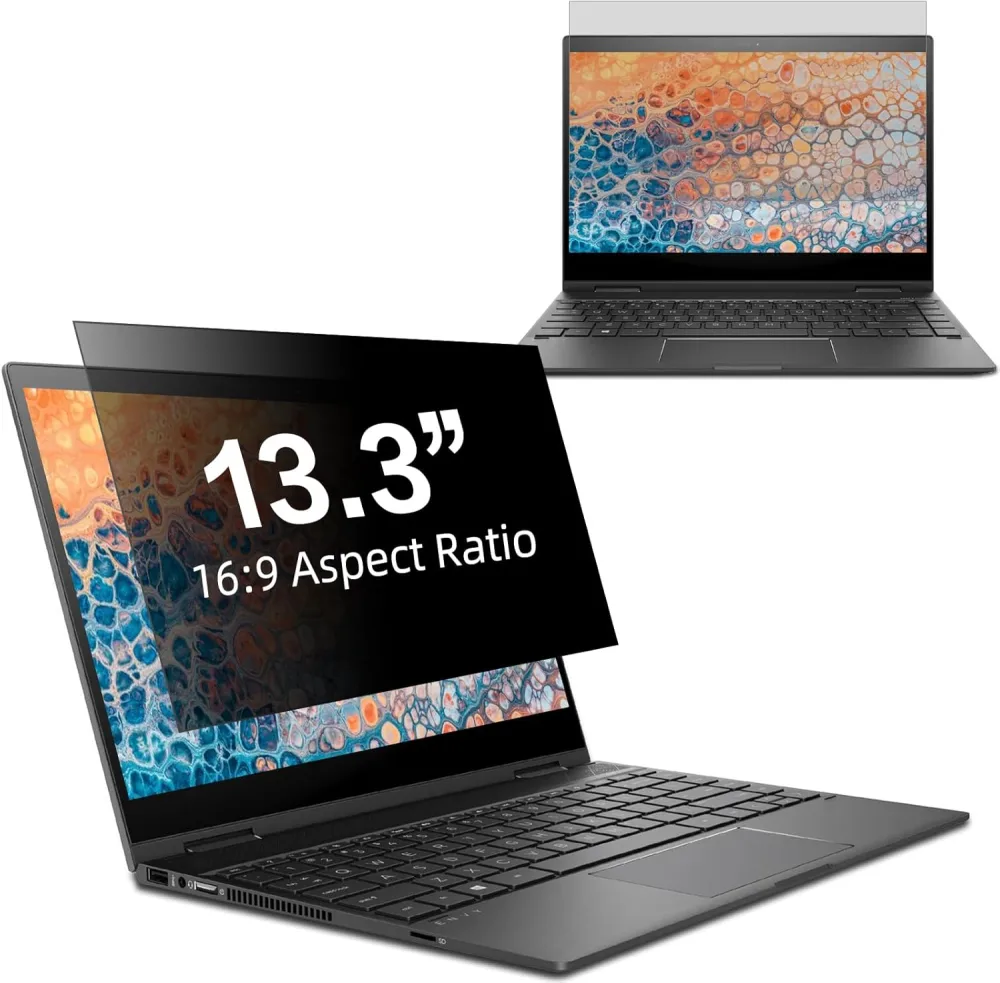
A laptop privacy screen protector is a thin filter placed over a laptop display to narrow the usable viewing area. When you sit in front of the screen, you can continue working. From an off-center position, the displayed content becomes much harder to read.
You may also see the same product described as a computer privacy screen, privacy screen filter, anti-spy screen protector, or laptop privacy filter. These terms usually describe the same basic purpose: limiting the visibility of on-screen information to people outside the intended viewing position.
A privacy filter is a visual privacy layer, not a replacement for good security habits. Lock your laptop when you step away, use secure networks, and follow your organization's data-handling rules. The filter does not protect files, accounts, or network traffic.
Privacy filters use a light-controlling structure that directs more of the display's light toward the person in front of the screen and less toward people viewing from an angle. A useful comparison is a set of tiny blinds: the screen remains readable inside the intended viewing area, while the view becomes darker or obscured as someone moves outside it.
Positioning matters. For the best result, sit centered in front of the display. If you work to one side or share your screen, the privacy effect may make content less convenient for you. The goal is to discourage casual side viewing, not make a laptop invisible from every direction.
Some dimming is normal because the filter manages how light leaves the display. Screen brightness, ambient lighting, the viewing angle, and the filter's surface can all affect the experience. If precise color evaluation or group viewing is part of your work, choose a removable filter so you can take it off when privacy is not the priority.
For a deeper overview of the underlying concept, see Everything You Need to Know About Privacy Screen Protectors.
A privacy filter is most useful when your work moves beyond a private room. It can reduce accidental visual exposure in places where you cannot control who sits next to or behind you.
Open offices put screens within sight of coworkers, visitors, and passersby. Routine work can include confidential names, calendars, figures, plans, or internal messages. A computer privacy screen adds a simple boundary without requiring a private room for every task.
Airport gates, airplane seats, trains, and hotel lobbies often place people shoulder to shoulder. A laptop privacy filter can reduce casual viewing from adjacent seats, though you should still judge whether a task is appropriate for a public place.
Coffee shops, libraries, and campus lounges are visually open. Remote workers may handle client information, while students may want to shield grades, account details, or personal conversations. A removable filter creates a more private workspace when needed.
If you alternate between focused work and presentations, a removable or magnetic design can be more practical than a permanently attached film. You can put the filter on for an individual task and remove it when a teammate needs to see the screen.
Attachment style affects everyday convenience. The right choice depends on how you use your laptop.
A magnetic privacy screen protector is designed for quick attachment and removal on compatible devices. It suits people who need privacy during travel or focused work but want the original display available for collaboration, entertainment, or color-sensitive tasks.
Magnetic models are worth considering when:
The tradeoff is compatibility. A magnetic filter must match the display shape and mounting area. It may need to be removed before closing some laptops. Follow the product instructions rather than assuming every magnetic screen works the same way.
Adhesive privacy films use an adhesive surface, strips, or tabs. They suit users who want continuous privacy and rarely need an unfiltered display.
A longer-term film is less convenient if you regularly remove it. Installation also requires careful cleaning and alignment. Check whether the model is reusable and how it should be removed.
A good buying decision begins with your device and routine. Use the following checklist before comparing marketing claims.
Start with the laptop manufacturer, product line, model number, display size, and model year or generation. “13-inch laptop” is not specific enough. Two computers sold as 13-inch devices can have different active display dimensions, bezels, camera cutouts, corner shapes, or aspect ratios.
Check the filter's width and height against the part of the screen it is designed to cover. Determine whether the seller lists dimensions for the active display area or the complete filter. If the product is model-specific, compare its model list with the identifier on your laptop.
Some filters primarily restrict horizontal side viewing, while others are designed to limit viewing from more directions. Think about where exposure is most likely. Side-view privacy may cover a coworker or passenger next to you; broader directional privacy may suit spaces where people can also stand behind or above your seat. Use the product page's stated viewing design rather than assuming all anti-spy filters behave alike.
Ask how often you will take the filter off. A permanent attachment suits constant use; a removable design adapts throughout the day. Check whether storage is included and how the filter should be handled when removed.
Privacy filtering can change perceived brightness. Product pages may also describe matte, anti-glare, blue-light-filtering, scratch-resistant, or high-clarity features. Treat each as a separate specification and verify it for the exact model you are considering. Do not assume a feature listed for one size or product family applies to every version.
Look at product photos and fit diagrams for cutouts around the webcam or sensors. Check the seller's instructions about closing the laptop with the filter attached. A filter that interferes with a camera, sensor, or lid is not the right fit, even if its diagonal measurement sounds correct.
Picture where you use your laptop. A train commuter may prioritize rapid removal and side-view privacy. A designer may need to remove the filter before color-sensitive work. The best filter fits both the device and the routine.
Buying by diagonal size alone is one of the easiest ways to end up with the wrong filter. Follow this sequence instead:
MacBook users should be careful with the model identifier. “MacBook Air 13” or “MacBook Pro 13” can refer to different generations. The specific A-number is more reliable than the family name alone.
A magnetic screen is worth considering when flexibility is central to your day. If you open private files in an airport, remove the filter for a client presentation, and reattach it later in a coworking space, quick removal is genuinely useful. If the filter will stay on for months, the benefit of magnetic attachment may matter less.
One verified option is the LUSA DESIGN Magnetic Privacy Screen for 13.3 Inch MacBook. Its product page specifies a magnetic top and enhanced adhesive at the bottom for a removable setup. It is listed for selected MacBook Air and MacBook Pro 13-inch generations, including the specific model numbers A1708, A1706, A1989, A2159, A2251, A2289, A2338, A1932, and A2337. Buyers should verify the model number on the computer before ordering.
The same listing describes a matte anti-glare surface, an anti-scratch layer, a storage clip, and a viewing design that keeps the screen visible within approximately plus or minus 30 degrees in front. It also lists blue-light and UV filtering specifications. These details apply to this product page only; check the exact listing if you are considering another laptop size or model.
This option is most relevant for compatible MacBook users who want to move between office, airport, café, and train use without keeping a privacy filter permanently in place. For additional context on privacy and display quality, read Laptop Screen Protectors That Blend Privacy with High-Definition Display Performance and Enhancing Visual Comfort with a Blue Light Laptop Screen Protector for MacBooks.
It can reduce perceived brightness because it directs and limits light outside the intended viewing area. The amount you notice depends on the filter, your display settings, your position, and the lighting around you. Sit centered and adjust brightness to a comfortable level rather than judging the filter from an angle.
A filter's protection depends on its viewing design and the observer's position. Many products focus on side viewing. Others claim restriction from additional directions. Check the exact product description and remember that no filter replaces awareness of your surroundings.
Yes, if the filter is designed for your laptop and does not block the camera or required sensors. Review the cutout design before purchasing. If the screen looks dimmer during a call, adjust your display brightness and room lighting.
Follow the instructions for the specific laptop and filter. Laptop lid tolerances differ, so do not assume it is safe to close every device with an accessory between the screen and keyboard. When the listing is unclear, remove the filter before closing the laptop and ask the seller for confirmation.
It can be, especially in a shared apartment, dorm, family space, or coworking area. If you work only in a private room, the need may be lower. A removable model lets you use privacy protection only when your setting changes.
No. It is a visual privacy tool. It does not secure your Wi-Fi, encrypt files, block malware, or prevent account access. Use it alongside device locks, strong authentication, software updates, and appropriate network security.
Use the care instructions supplied with the product. In general, handle the filter by the edges, avoid abrasive cleaners or rough cloths, and store it in the included holder if one is provided. The correct method can vary with the surface and attachment system.
The best laptop privacy screen protector is not defined by one feature. It should fit your exact laptop, limit viewing from the directions that matter in your environment, attach in a way that suits your routine, and remain practical during everyday work.
Start with the model number and physical dimensions. Then decide whether you need always-on coverage or the flexibility of a removable filter. Magnetic designs are especially useful for travelers, hybrid workers, students, and professionals who move between confidential tasks and shared-screen moments.
Explore our magnetic laptop privacy screen protectors and find the right fit for your device.





