Open your laptop on a plane and the person in 23B has a front-row seat to your entire screen. Do it in an open-plan office and it is worse — everyone who walks past your desk gets a free look at the client contract, the salary sheet, the message thread you would rather nobody read.
Phone privacy is a solved problem. Laptop privacy is not — and the MacBook Air 15 is one of the most exposed screens you own, because it is big, it is bright, and you use it in public constantly.
A privacy screen fixes that. But if you have ever peeled an adhesive privacy film off a MacBook, you know the second problem: the residue, the bubbles, the misaligned edges, and the nagging fear that you are wrecking a display you paid for.
That is the gap magnetic privacy screens are built to close. Here is how they actually work, where they beat adhesive film, and what to look for before you buy.
Three reasons:
If you work on the move at all, this is not a nice-to-have. It is basic operational hygiene.
Adhesive privacy screens work. The installation is what kills them:
The last one is the underrated cost. A privacy film that cannot come off easily forces you to choose between privacy and collaboration every single day — and most people just leave it on and suffer.
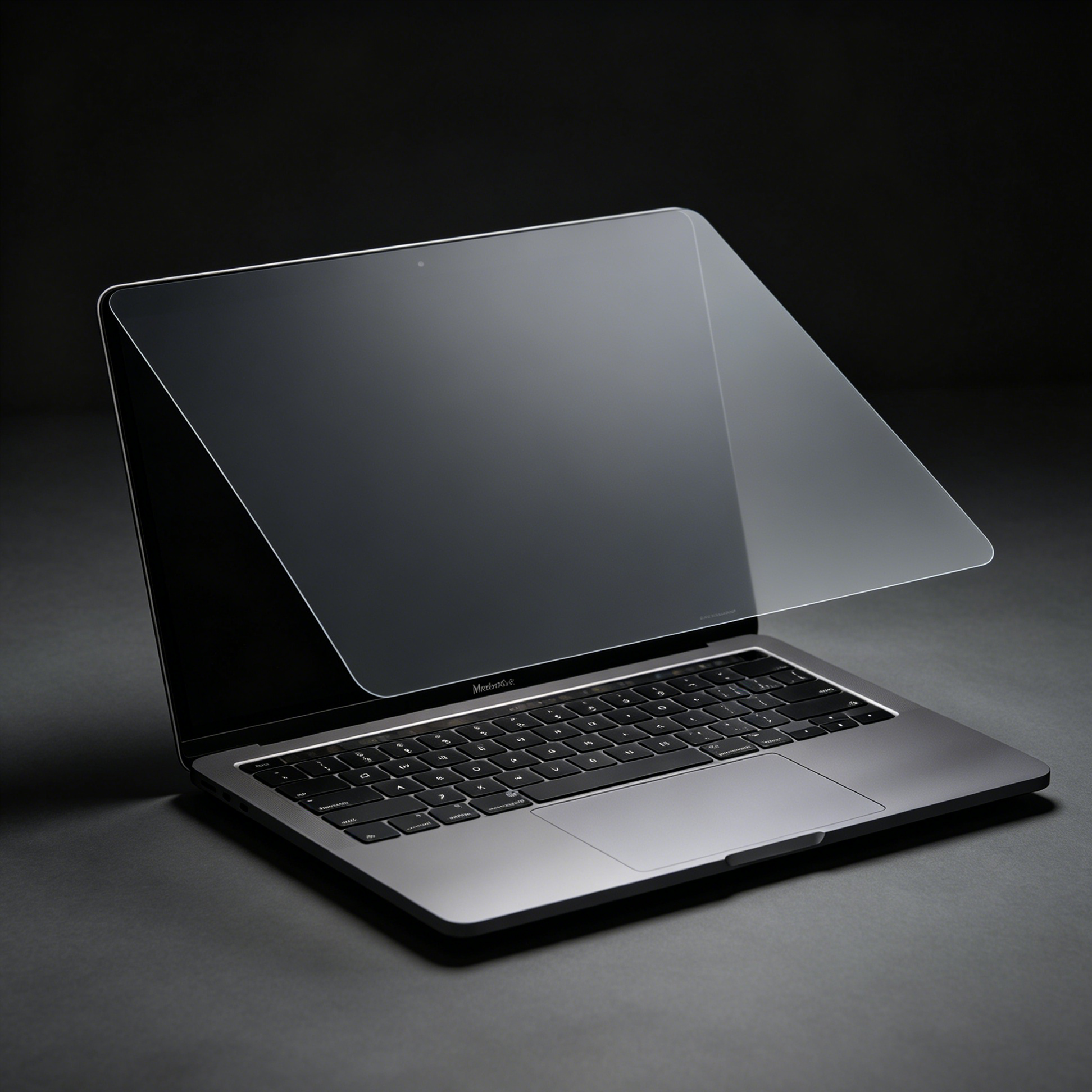
Instead of adhesive, the film carries a thin magnetic frame that snaps onto the MacBook display bezel — the aluminium border around the screen, which is ferromagnetic on these models.
The result is a modular accessory, not a permanent installation:
On our magnetic privacy screen for MacBook Air 15, the frame is precision-cut to the display area, so the fit follows the laptop's own form language instead of looking bolted on. The slightly raised edges protect the panel without stopping the lid from closing.

No — and this matters, because it is the first thing people worry about.
macOS detects lid closure with internal sensors, not by measuring the height of the screen surface. A magnetic privacy film adds a fraction of a millimetre and sits inside the bezel frame, so the lid still closes flush enough for sleep to trigger normally. You will notice the difference when you look at a black screen from the side; you will not notice it when you shut the laptop.
The same logic applies to brightness and touch: the film is optically clear from the front, so the display looks the same head-on and the trackpad and Touch ID work exactly as before.
Two numbers matter on a spec sheet like this.
30 degree viewing angle. Content stays sharp and readable for you, and goes dark for anyone more than roughly 30 degrees off-axis. In practice: the person directly beside you on a plane sees a black slab; the coworker walking behind your chair sees nothing. It is the standard commercial-grade privacy rating — tighter than casual films, comfortable enough for daily use. If the angle numbers confuse you, our guide to privacy angles explains how the industry measures them.
35 percent blue light blocking. Long sessions under harsh office lighting are the real eye-strain driver. Cutting roughly a third of high-energy blue light, plus the anti-glare surface, noticeably reduces the dry-eyes-at-5pm feeling. It also kills reflections from overhead fluorescents, which is half the reason your screen looks washed out in an office in the first place.
Add a scratch-resistant hard coat and a cleaning kit in the box, and the thing holds up to being carried around daily — which, for a removable accessory, is the whole point.
And despite all that filtering, the straight-on view does not pay a visibility tax: the film is high-definition from the front, so text stays crisp and colours stay true.
| Magnetic privacy screen | Adhesive privacy film | |
|---|---|---|
| Install time | About 2 seconds, no tools | 5 to 15 minutes, high dust sensitivity |
| Bubble risk | None, there is no bonding layer | High |
| Removal residue | None | Common, hard to clean |
| On/off flexibility | Instant, reusable | Effectively permanent |
| Fit precision | Snap to bezel, self-aligning | Manual alignment |
| Best for | People who work in public and present often | Fixed single-desk setups |
If your laptop never leaves one desk and you never screen-share, adhesive is fine. If you are mobile or you present regularly, magnetic wins on every dimension that actually annoys people.
The removable format also makes the film itself more durable: it is waterproof, wipes clean, and survives being stored flat and re-mounted hundreds of times — something an adhesive layer physically cannot offer.
Airports, cafes, trains. The highest-density shoulder-surfing environments there are. Snap it on when you open the lid on a crowded flight; pull it off when you land and want to show a colleague something.
Open-plan offices and hot-desking. Your screen faces a walking path all day. A 30 degree filter turns confidential work into a grey rectangle for everyone except you.
Finance, legal, healthcare, HR. Environments where a single leaked screen is a compliance incident, not just an embarrassment. The removable design means you can comply during sensitive work and switch to shared viewing for team reviews — no trade-off.
Meetings and presentations. This is where adhesive film fails outright. Detach, present, reattach. That is the entire workflow.

In the box you get the privacy screen itself, a cleaning kit, an installation guide and a storage folder to keep the film flat between uses — everything needed for the on/off lifestyle this product is built around.
How fast is installation and removal?
Seconds. It attaches magnetically to the MacBook Air 15 (2023 to 2025 models) with no adhesive, so you can put it on and take it off as often as you like without residue or risk to the display.
Will it affect display quality or touch response?
Head-on, the display keeps its original clarity and brightness, and input works exactly as before. The difference only shows up at an angle — which is the entire point.
Can it be made for other devices?
The core product is precision-cut for the MacBook Air 15 (A3241, A2941, A3114), but custom screen films for other devices are available on request.
Does it help with eye strain?
Yes — 35 percent blue light reduction plus an anti-glare surface cuts both the eye-fatigue and the reflection problem during long work sessions.
Privacy on a laptop should not require a permanent modification to your display. A magnetic privacy screen gives you the protection when you are in public and your screen back when you are not — in the time it takes to open the lid.
Adhesive is a decision you make once and live with. Magnetic is a decision you make every time you need it.
If your MacBook Air 15 travels with you, that flexibility is worth more than the film itself.
Related reading